Qeve
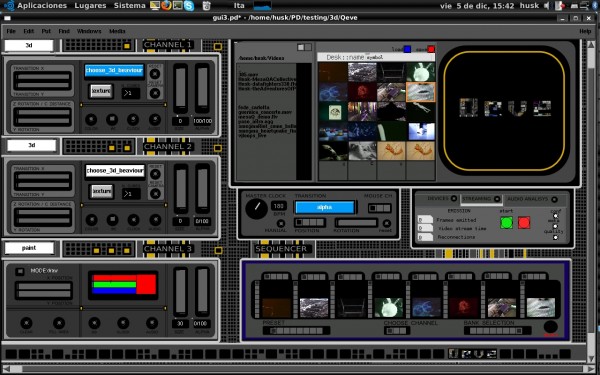 Qeve is a vj software for Gnu/linux. It was born as a prototype for the performance of Qè and after the economic support received by the catalan association Telenoika it has been published as a public vj linux program. The project has evolved and remain just a couples of blogs reviews for historical reason.
Read the review by Create Digital Motion and by Australian vj VdmoSkati